Custom Countdown Timer (2015)
Custom Countdown Timer (2015)
Click on image above to load the animation. Flash-based animation provided by the Ruffle Flash Emulator at ruffle.rs. This project requires JavaScript enabled in the web browser to run. Then click the start button in the lower left center to start the timer animation.
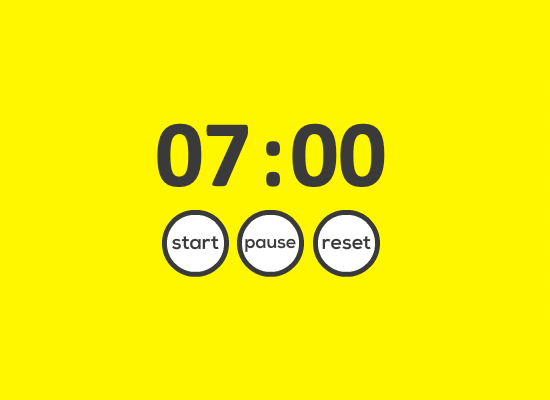
Custom countdown timer design is an Adobe Flash-based countdown timer starting at 7 minutes. Start, pause, and reset buttons were included in this design allowing for user interactivity and control.
Navigate to previous or next portfolio item:
For Previous Item: Alt + p on Windows OS or Control + Alt + p on Mac OS
For Next Item: Alt + n on Windows OS or Control + Alt + n on Mac OS
Custom Countdown Timer Flash Project Information
Goal of the Project
As Media Technologist at Heartland Community College I was approached by the Distinguished Professor of Reading about possibly creating a custom countdown timer which could be embedded into a series of PowerPoint slides for a Fall 2015 Liberal Arts and Social Sciences Department Kick Off breakout session. She required a 7 minute timer to be embedded into her slides for "ice breaker" events where faculty would do group activities in a limited time. The turn around time for this project was less than 1 week.
Project Specs
Category
Software Used
Audience
- Heartland Community College Faculty
Solution to the Problem
Researching whether this was possible, I decided to create an Adobe Flash-based countdown timer which could be embedded into Microsoft PowerPoint 2013 which was the version being used on campus at that time. That version of PowerPoint allowed Shockwave Flash Objects to be linked/embedded into PowerPoint slides.
After setting the background color and dynamic text boxes into position, I programmed in the code in ActionScript required to provide for the functionality of the timer including the interactivity of the buttons.
The final timer design includes start, pause, and reset buttons along with the 7 minute timer text. The background design yellow color was chosen to match the requesting faculty member's PowerPoint slide design.
Ruffle Emulator for Flash Files
The example of the Custom Countdown Time on my portfolio above is running in Flash using a Flash Emulator called Ruffle. More information about the Ruffle Flash Emulator is available at Ruffle.rs.
Outcome of the Work
This Flash-based timer was successfully embedded into the professor's PowerPoint slides for her break out session allowing her to time her ice breaker event activities.